
Search here or press/
Search
The QZAR referral program rewards both direct and indirect growth through a three-level referral tree. When a referred user completes eligible trading activity, a share of the QZAR trading fee is credited to the referrers connected to that user.
Referral rewards are separate from cashback. Cashback returns part of your own QZAR fee, while referral rewards come from eligible activity in your referral tree.
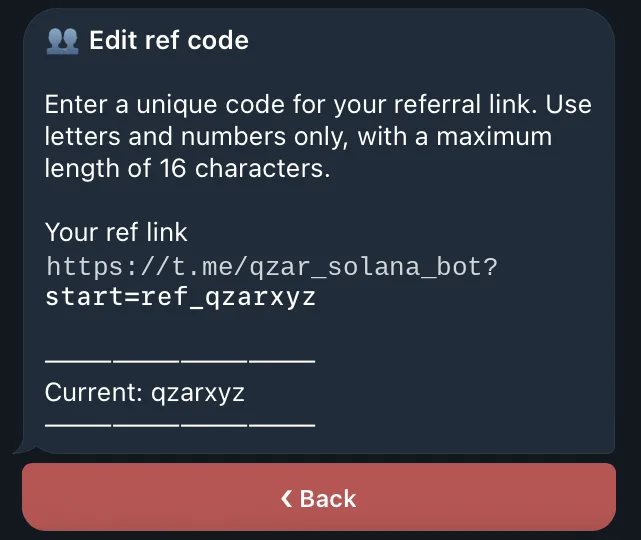
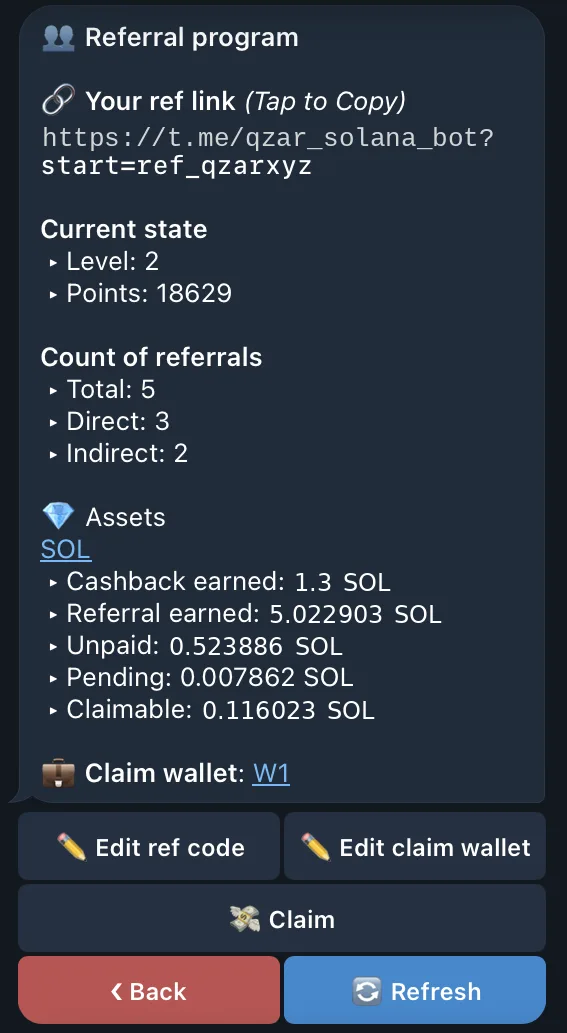
The current Telegram interface manages referrals from Settings → Referrals:
A custom referral code must contain only letters and numbers and be between 5 and 16 characters. It must also be unique.
Standard referral rewards are calculated as a percentage of the QZAR fee collected from each eligible completed trade.
| Referral level | Share of collected QZAR fee |
|---|---|
| 1 | 35% |
| 2 | 3% |
| 3 | 2% |
Assume a completed trade has $10,000 equivalent volume and generates a $100 equivalent QZAR fee at the standard 1% rate:
The actual reward is accounted in the supported fee asset used by the transaction rather than as a guaranteed USD payout. Network costs, price movement, failed transactions, and non-QZAR fees are outside this example.
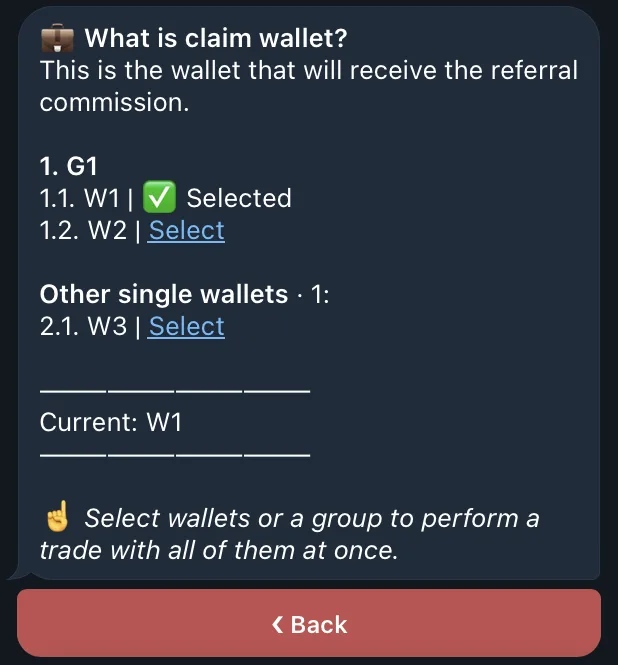
Referral and cashback rewards use the same claim flow:
The claim may include multiple supported assets. Transaction costs can be deducted from the payout, and a very small balance can remain unclaimed until it can cover the transfer cost. See Cashback for the complete reward lifecycle and status definitions.
A user connected through a valid QZAR referral link receives at least Level 2, providing 10% cashback, even before their points reach the Level 2 threshold.
Reward balances are grouped by supported asset, currently SOL, USDC, and USDT on the documented Solana interface. Each supported asset has its own balance state.
The implementation uses a default 12-hour holding period before a new reward becomes claimable. Deployment settings can change this interval, so use the live Pending and Claimable values as the source of truth.