
Skip to content

Wallets & Groups New

QZAR can manage several wallets and organize them into named groups. A group lets you select multiple member wallets for one trading action.

Wallet actions

From Wallets, you can:

  • Create or import a wallet
  • View public address and balances
  • Rename it
  • Set it as the default wallet
  • Move it into or out of a group
  • Deposit assets
  • Export its private key after the PIN check

Deleting a wallet from QZAR does not erase the on-chain account. Make sure you have a verified backup before removal.

Wallet creation may be temporarily disabled by product configuration. Import remains the fallback for a dedicated wallet created in a trusted wallet app.
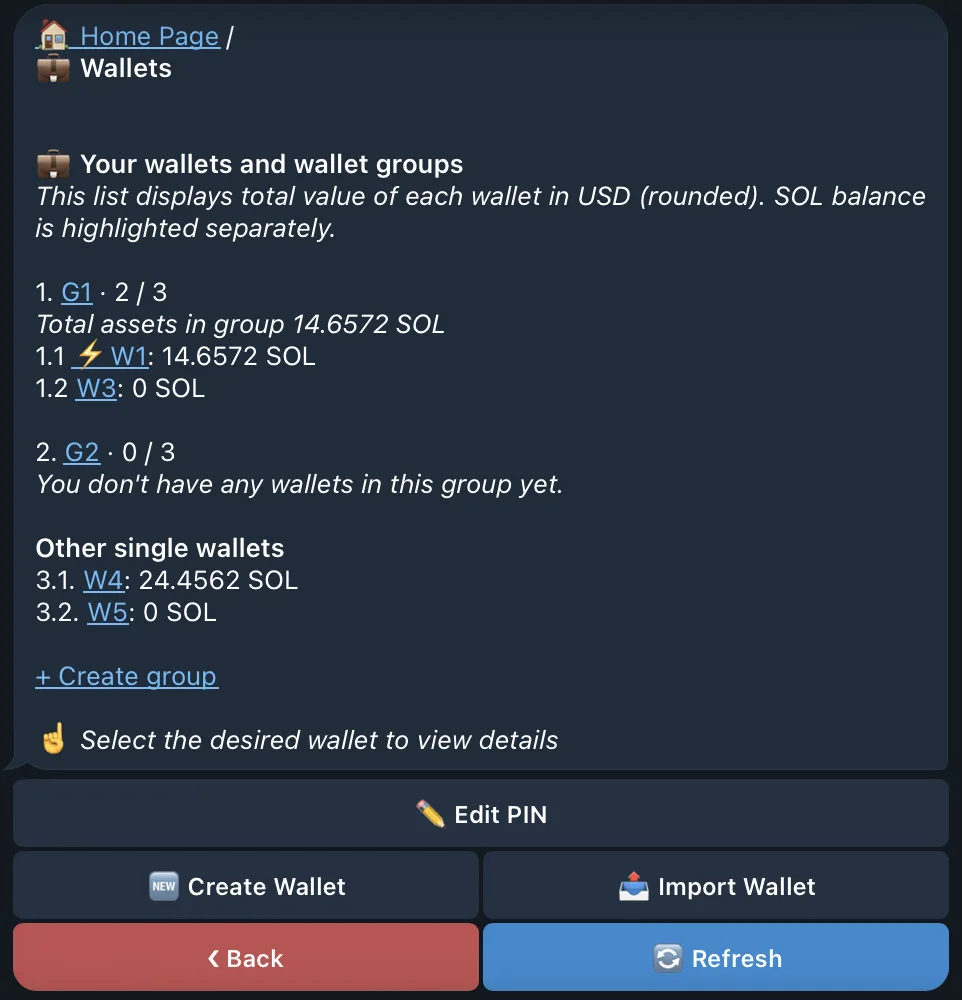
The QZAR Wallets list with addresses, balances, group membership, and the default wallet marker

Create a group

  1. Open WalletsCreate group
  2. Give the group a clear strategy-based name
  3. Open each wallet and change its group connection
  4. Optionally set the group as default

Moving a wallet into a group changes organization and selection only; it does not transfer assets between addresses.

Trade with a group

In a trade, select the group under From wallet. QZAR expands it to the member wallets and applies the configured amount to each one.

Example: a 0.1 SOL amount with four selected wallets intends up to 0.4 SOL total, plus fees for each wallet.
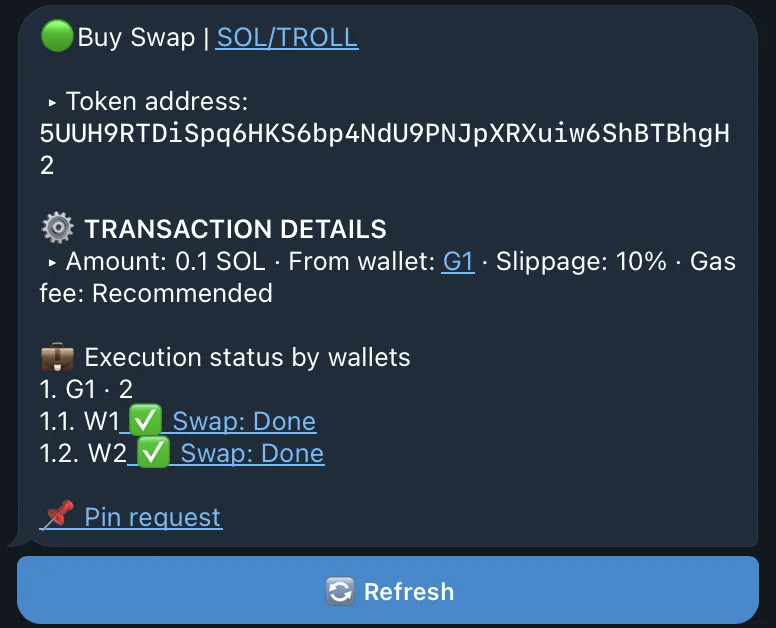
Group execution can partially succeed
Multi-wallet execution is not atomic. Some wallet transactions may succeed while others fail. Always review the per-wallet execution status and balances afterward.

Default wallet or group

The ⚡ marker identifies the default used by quick and automatic actions. If no default is selected, QZAR can fallback to the first available wallet/group. Recheck the marker before enabling Auto Trade or using a pinned command.

Safer organization

  • Use names that communicate purpose, not ownership secrets
  • Keep experimental wallets separate from long-term holdings
  • Deposit enough native tokens for each member to cover the transaction costs and fees
  • Verify backups before deletion
  • After changing group membership, review all open orders that reference affected wallets