
Skip to content

Make Your First Trade

Use a verified token address and a small amount. Your goal is to learn the QZAR flow and verify the on-chain result, not to optimize speed on the first attempt.
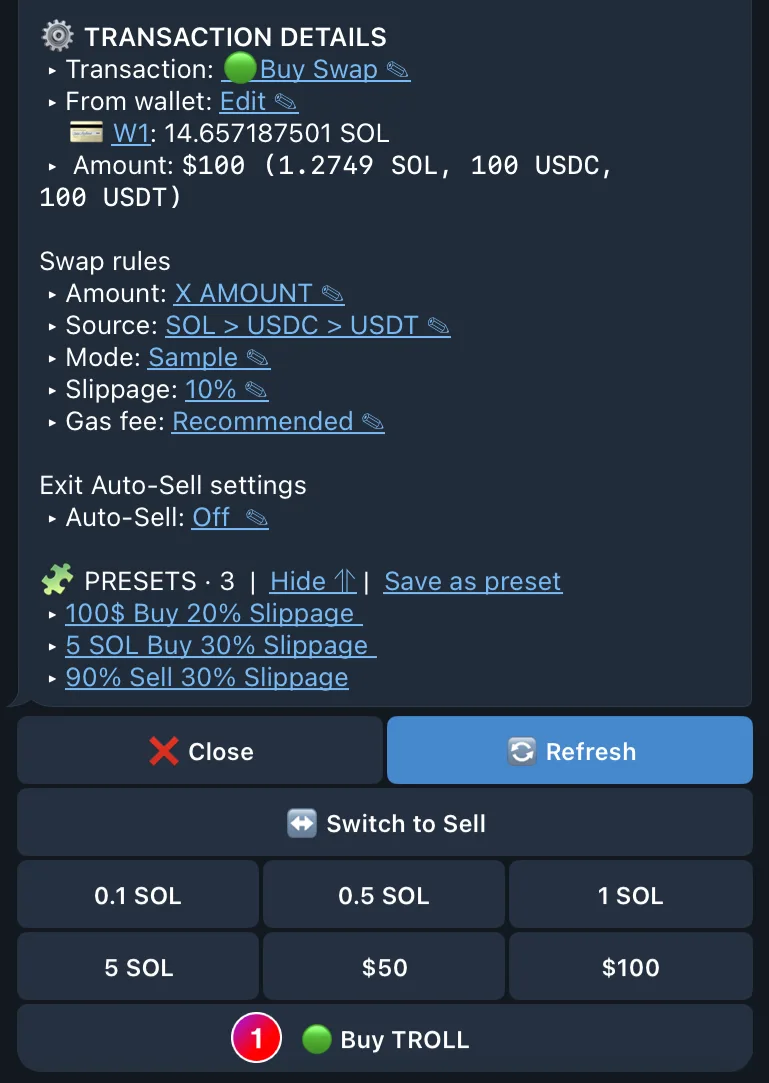
Place a small buy

  1. Paste the token address into the platform
  2. Select the intended token and pool from the results
  3. Review token address, market price, liquidity, pool type, and balances
  4. Choose Buy and Swap
  5. Select the wallet or wallet group
  6. Enter a small amount or choose an amount preset
  7. Review source token, settings, and auto-sell
  8. Press Swap and wait for the confirmed status
A small QZAR test buy with the selected wallet, amount, source token, and execution settings before the swap

Verify the result

After QZAR reports success:

  • Open View on Scan and check that the status is successful
  • Check the wallet address, token mint, amount, and fee
  • Open Assets and refresh the token balance
  • Open Transactions to confirm the trade appeared in QZAR history
Verify before retrying
A message timeout is not proof of failure. Before retrying, check the transaction signature and wallet balance. Repeating a transaction that already landed can create an unintended second trade.

Test a sale

Open the acquired asset, switch to Sell, choose a percentage, review the destination source token, and execute. Verify the signature again.
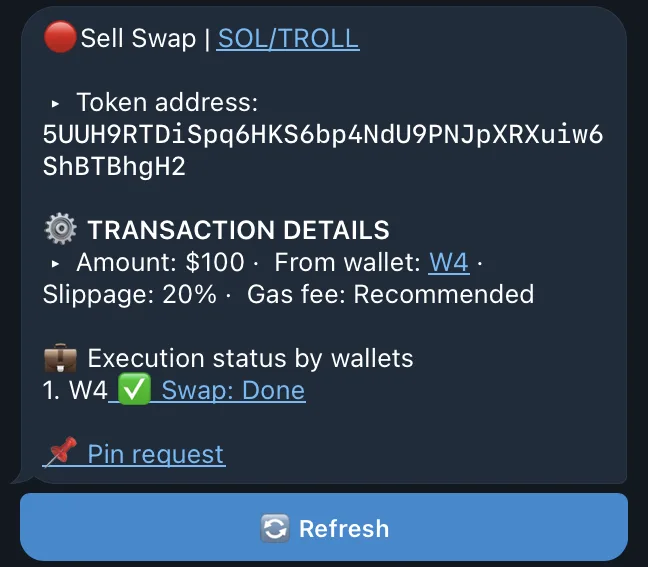
A completed QZAR sell of a percentage of the position, reporting the destination token and signature to verify

Next, learn the complete Buy & Sell flow or save the setup as a Preset.