
Skip to content

Pinned Commands (TG only) New

Pinned Commands save a trade request as a Telegram slash command. They are useful for a repeated buy or sell on a specific pool with the same wallets, amount, and settings.

Create from a reviewed trade

The safest path is:

  1. Find the token and build a normal trade
  2. Select wallet(s), amount, source, mode, slippage, and fee
  3. Review the full request without executing it
  4. Select Pin request
  5. Accept or edit the generated command name

QZAR typically derives a name such as /buy_token or /sell_token. Command names must be short and use supported letters, numbers, or underscores.
Run a command

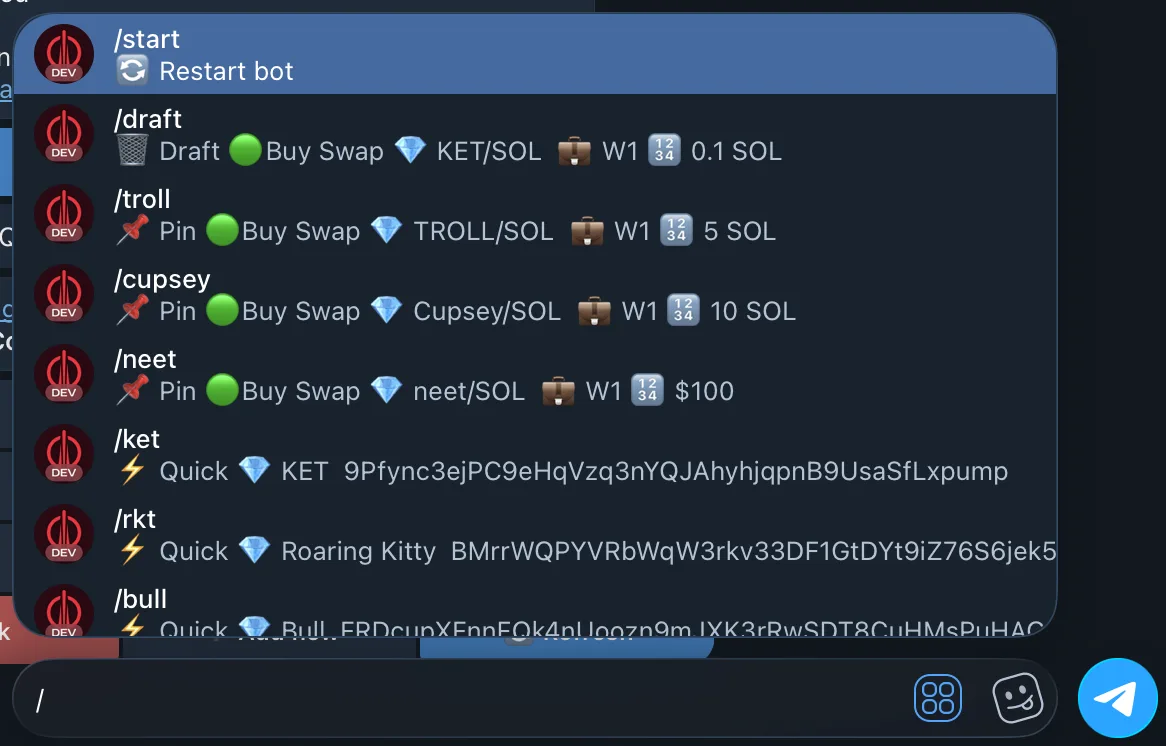
Type or select the slash command in Telegram. QZAR restores its saved pool and trade settings so you can continue the prepared action.

A pinned command does not store a live quote
A pinned command stores wallet references and settings, not a live quote. Before execution, verify that the wallet still exists, the pool is correct, liquidity is available, and the amount/fee remains appropriate.

Manage commands

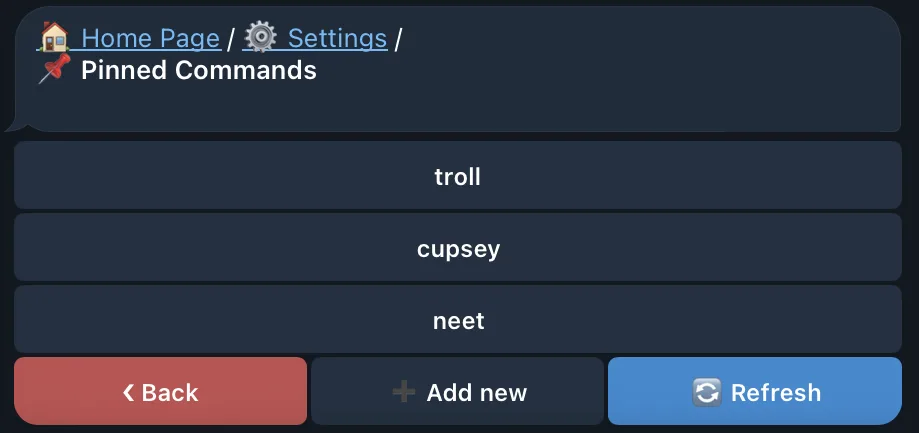
Open SettingsPinned Commands to:

  • View saved commands
  • Change the command name
  • Switch buy/sell direction
  • Change pool, wallets, or preset
  • Delete a command

The special /draft command can also reopen the latest saved trade draft when its pool remains available.
Use carefully

  • Prefer a clear name that includes direction and token
  • Recheck commands after changing defaults, groups, or presets
  • Delete commands for inactive or migrated pools
  • Do not use a pinned command as proof that a token is still legitimate