
Search here or press/
Search
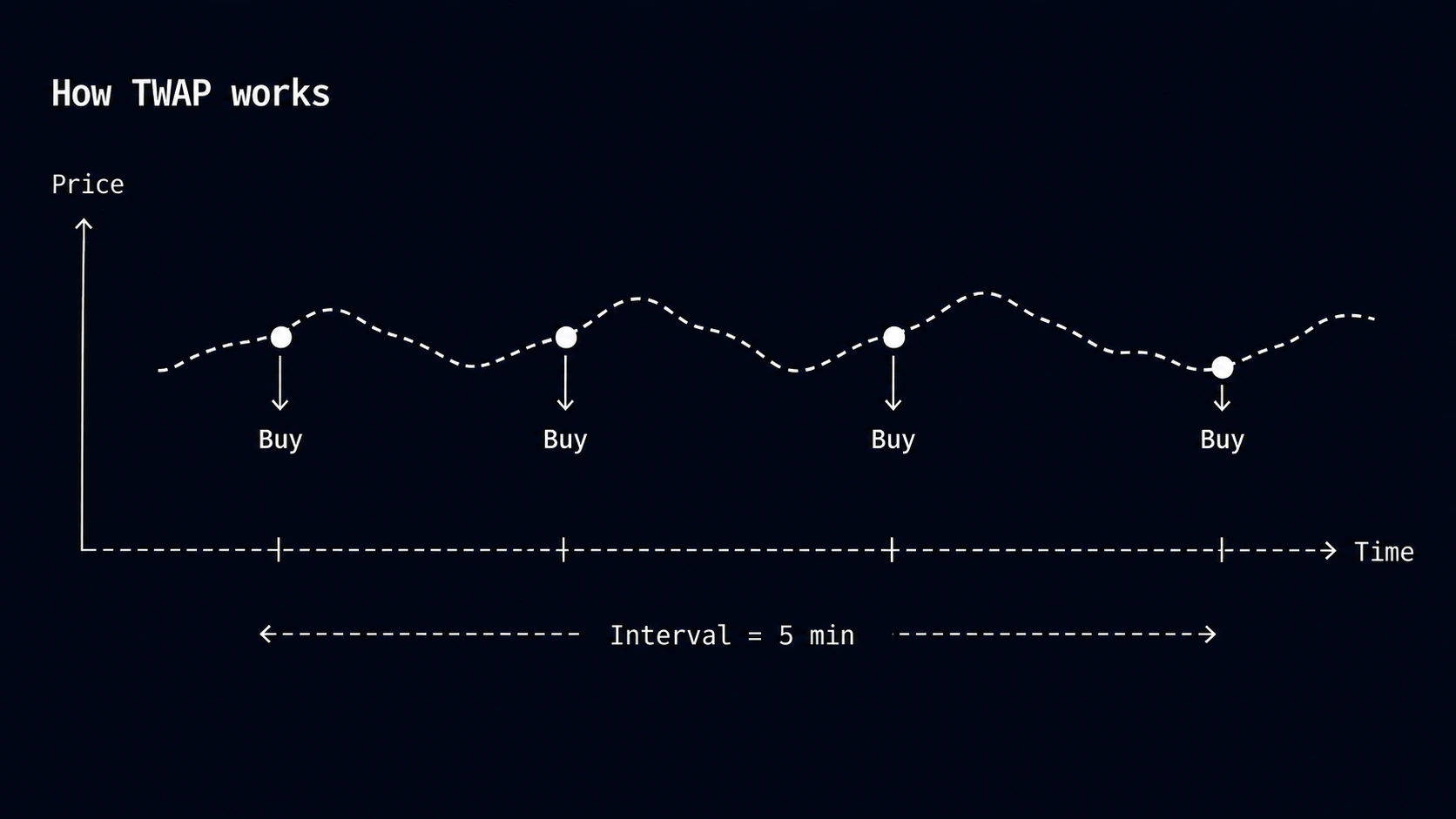
A TWAP order spreads a budget across equal-sized buys at regular intervals. It is useful when distributing order size over time matters more than choosing a specific entry price.
TWAP has no trigger or range. QZAR submits one buy when the order starts, then submits the remaining buys at the configured interval.
| Setting | Meaning |
|---|---|
| Total budget | The most the order can spend |
| Number of orders | The number of buys to complete |
| Interval | The time between buys |
| Jitter (optional) | A random delay of 1–60 seconds added to each buy |
Each buy is sized as Total budget / Number of orders.
For a 10 SOL budget split into 5 buys at 30-minute intervals, QZAR submits 2 SOL at the start, then another 2 SOL around minutes 30, 60, 90, and 120. Optional Jitter shifts the exact submission time, but does not introduce a price check.
If price rises sharply halfway through, the remaining buys still run. That is expected TWAP behavior, not a missed condition.
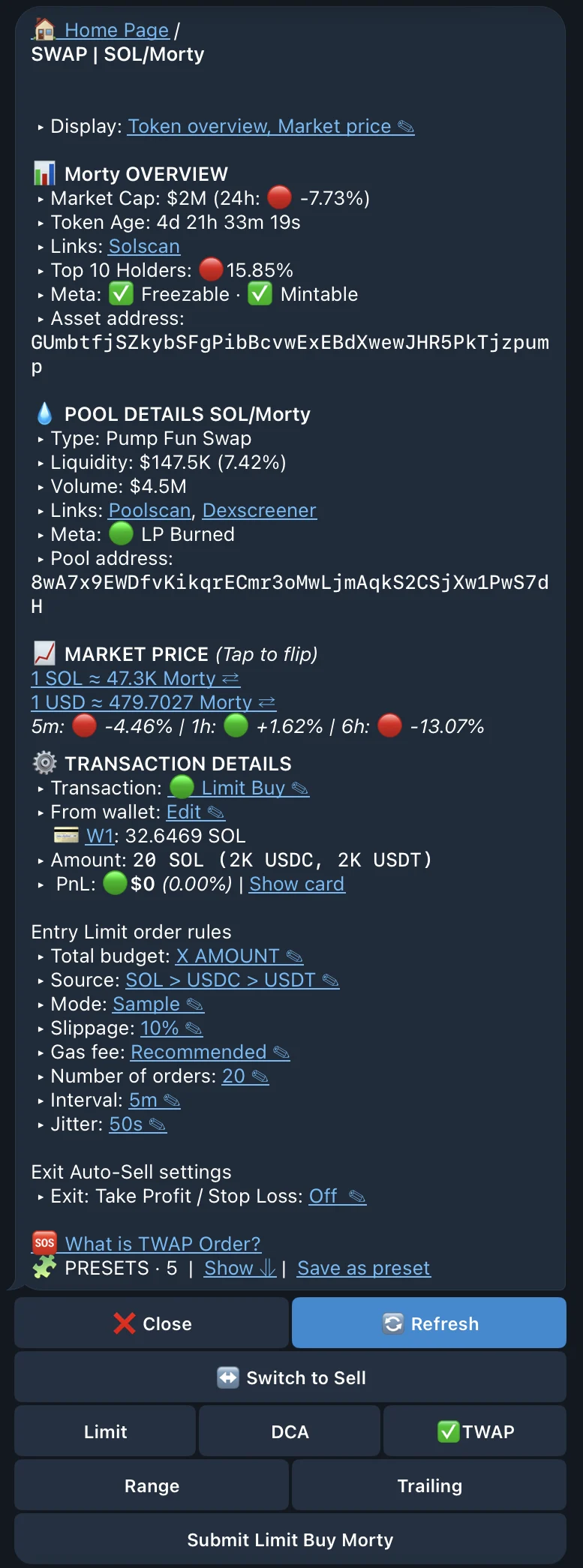
Choose TWAP from a token or pool trade menu, then set:
Everything outside the schedule—wallets, source tokens, execution settings, optional TP/SL, and submission—uses the common controls shown for a Classic Limit Order.
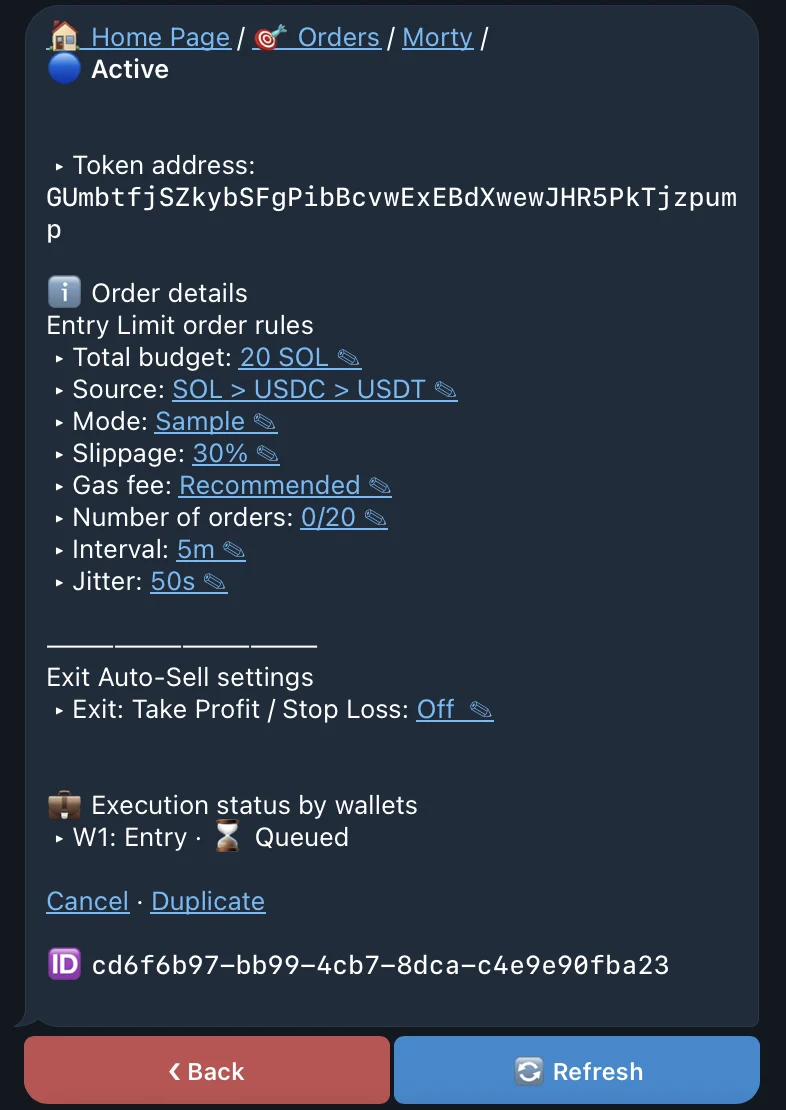
The order detail shows average entry price, buys completed and remaining, amount per buy, and time until the next buy. Running means at least one buy has completed; Executed means the full schedule is complete.
Each submission still depends on route availability, slippage, balance, and fee priority. A failed buy does not stop later scheduled buys, so verify the completed count rather than assuming the entire TWAP stopped.