
Search here or press/
Search
QZAR combines a home-page portfolio summary with a detailed assets list. Values are calculated from indexed wallet balances, pool prices, and available transaction history. They can lag on-chain changes or be unavailable for a token without usable market data.
The home page can display:
Open the home-page display settings to show or hide sections, change asset count, select wallet scope, and choose balance units.
Each asset can show a configurable combination of:
You can change field order, labels, line breaks, color indicators, sorting, time period, items per page, etc
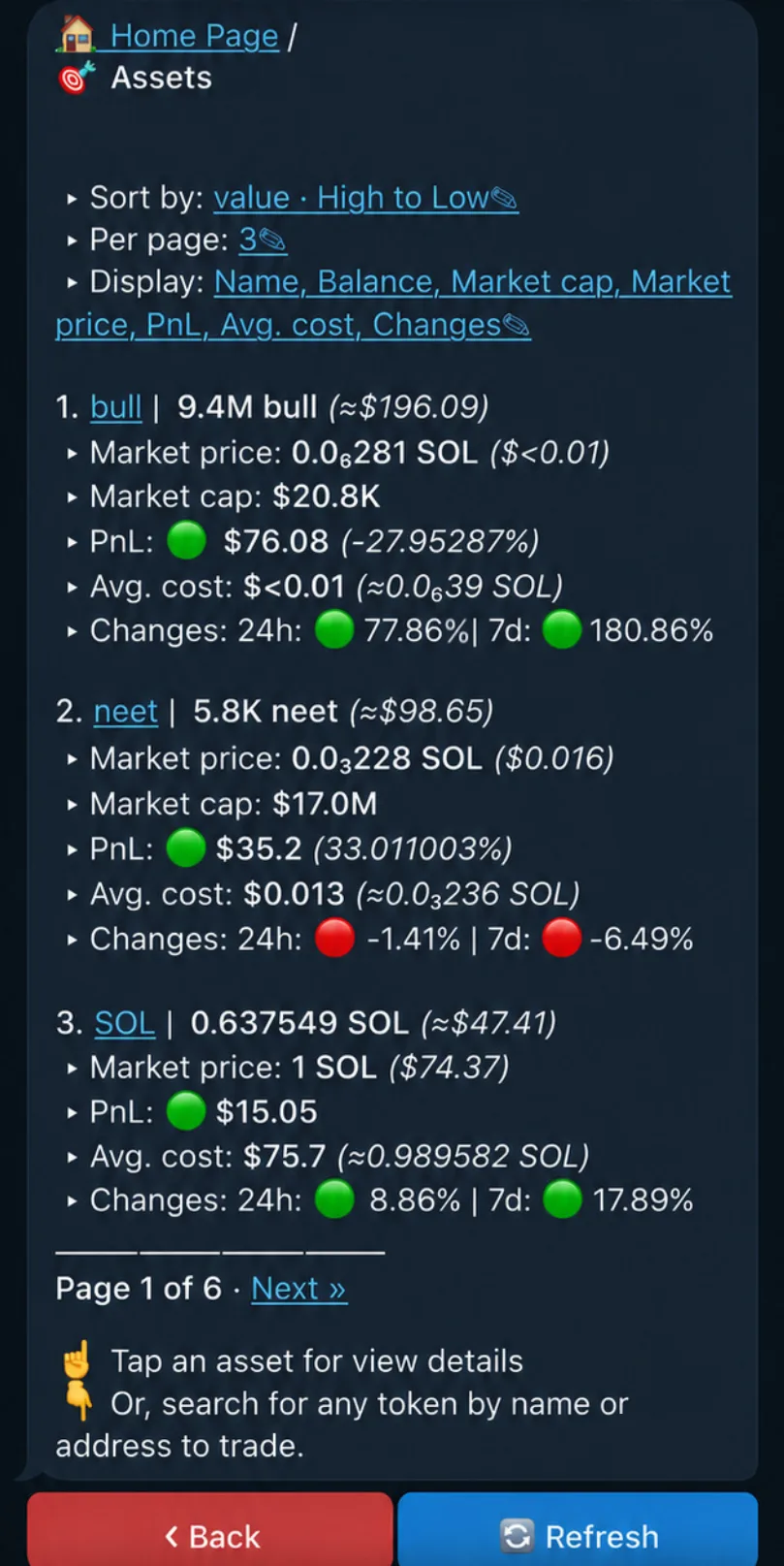
Tap an asset to inspect balance across wallets and open trade flow. The most liquid supported pool is used for displayed market context when available.
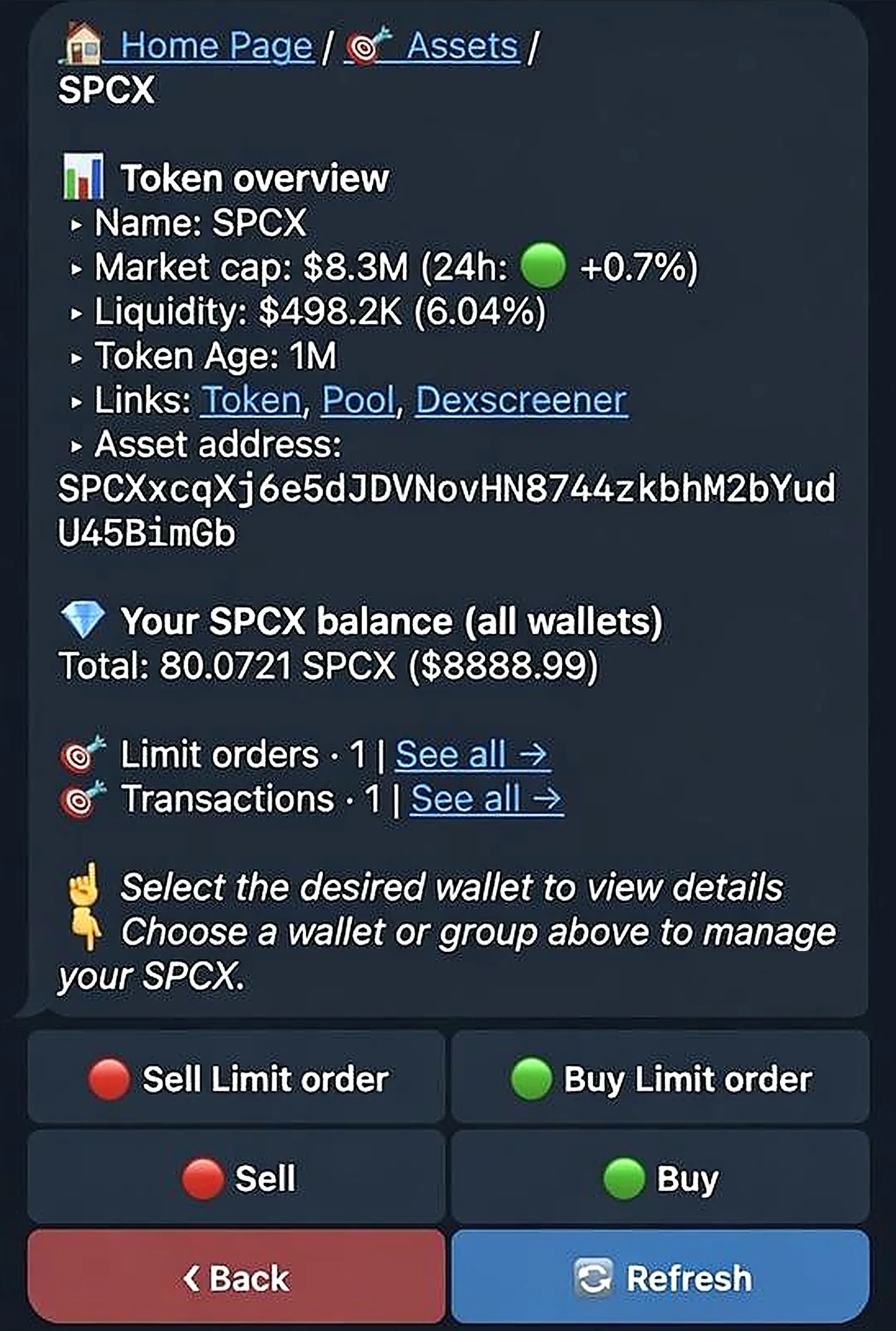
The current implementation provides PnL data inside the portfolio and asset views. Do not describe a generated social PnL card as available until a dedicated export action is present.