
Search here or press/
Search
Copy Trading watches a Solana wallet and reacts to its buys or sells with separate transactions from your wallet. You choose what to mirror and define your own size, budget, execution settings, and filters; the source wallet never controls your funds.
Only the public address is required. Send it to the bot, optionally followed by an alias:
5c...j7z, Wallet nameThe alias is private to your QZAR account and can be edited later. The wallet overview keeps the address, alias, and Solscan link together so you can verify the source and review its activity.
| Setting | Meaning |
|---|---|
| Actions | Copy buys, sells, or both |
| Buy settings | Control your buy size relative to the wallet you are copying |
| Sell settings | Define how much of your own position to exit when the source sells |
| Total budget for this strategy | Cap total copied spend, No limit removes the cap |
| Entries per Token | Limit repeated entries into the same token, Unset leaves them uncapped |
With 100% of their exit, QZAR mirrors the proportion sold, not the source wallet's absolute token amount. Sells only can manage positions you entered elsewhere, but it cannot sell a token your execution wallet does not hold.
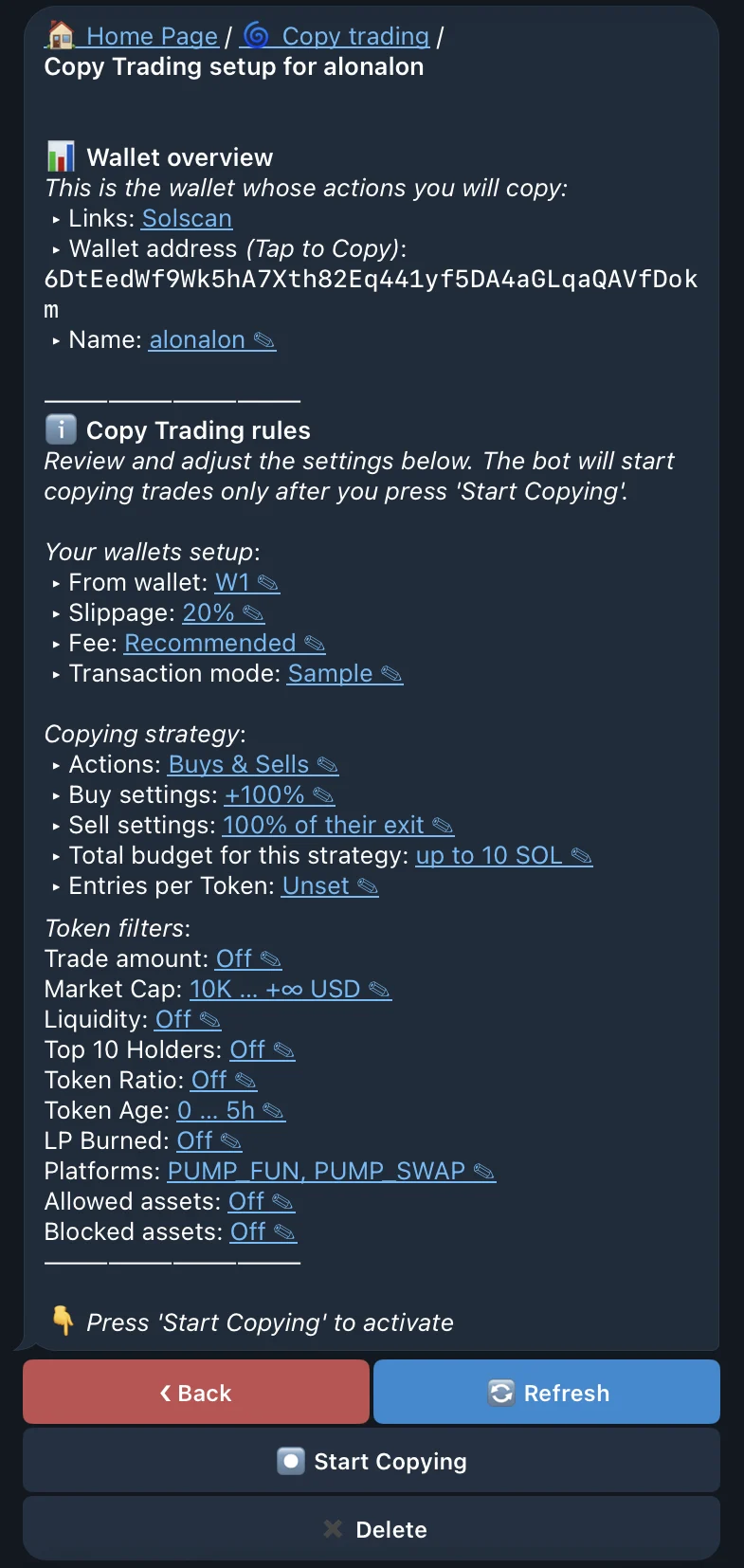
Select the From wallet, slippage, fee, and transaction mode used for copied trades. These settings belong to your strategy and do not inherit the source wallet's route, fee, or fill.
Before submitting a detected trade, QZAR can screen it by:
Every enabled filter must pass at the time the copy would be submitted. A rejected transaction is skipped without stopping the strategy.
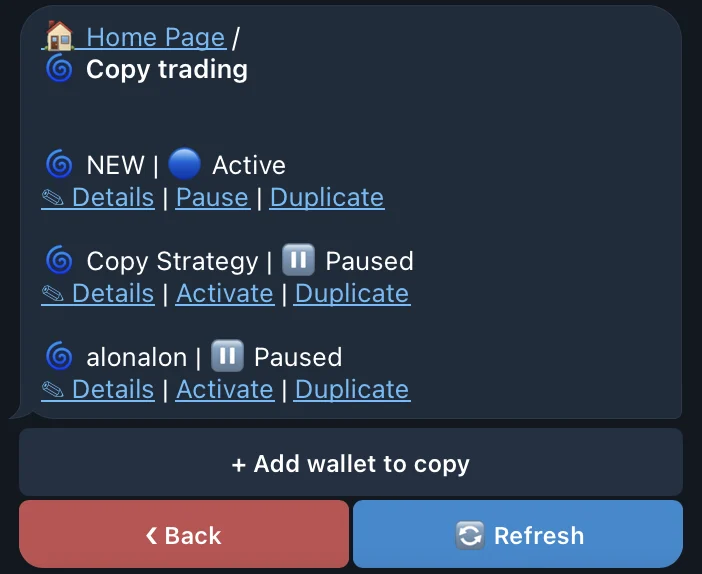
Nothing is mirrored while the strategy is still a draft. After activation, open it to see the tracked wallet, execution settings, active filters, copied spend, and entry count. Use Refresh to re-sync the view, stop or restart copying, or Delete the strategy when you no longer follow that wallet.
The source transaction must land and be detected before QZAR can react, so your transaction starts from a later market state. It may use another route, receive a different price, or fail after the source trade succeeded. The gap is usually most visible in fast or illiquid markets.
A source wallet can also buy before followers and sell into the demand they create. Review its full on-chain behavior instead of judging it by a public win rate or one profitable trade.
No limit