
Search here or press/
Search
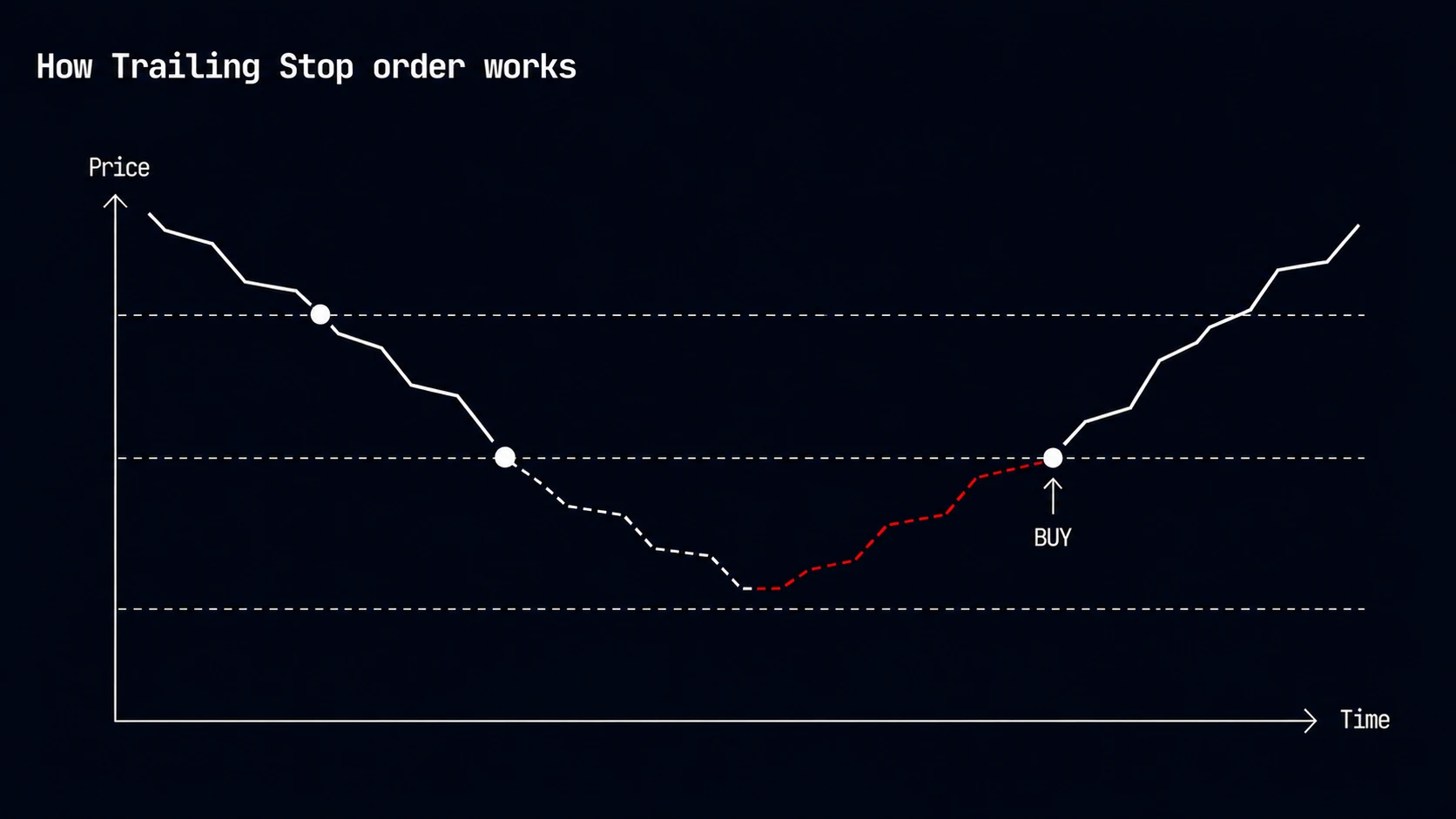
A Trailing Stop Order follows price through a ladder of levels. Instead of committing to one fixed trigger, it lets the move continue and submits when price reverses to the last passed level, or when the final level is reached.
The ladder contains 2–10 absolute or percentage-based price levels:
For a buy ladder at $0.90 → $0.80 → $0.70:
The submitted transaction may land at a different price, especially during a fast reversal.
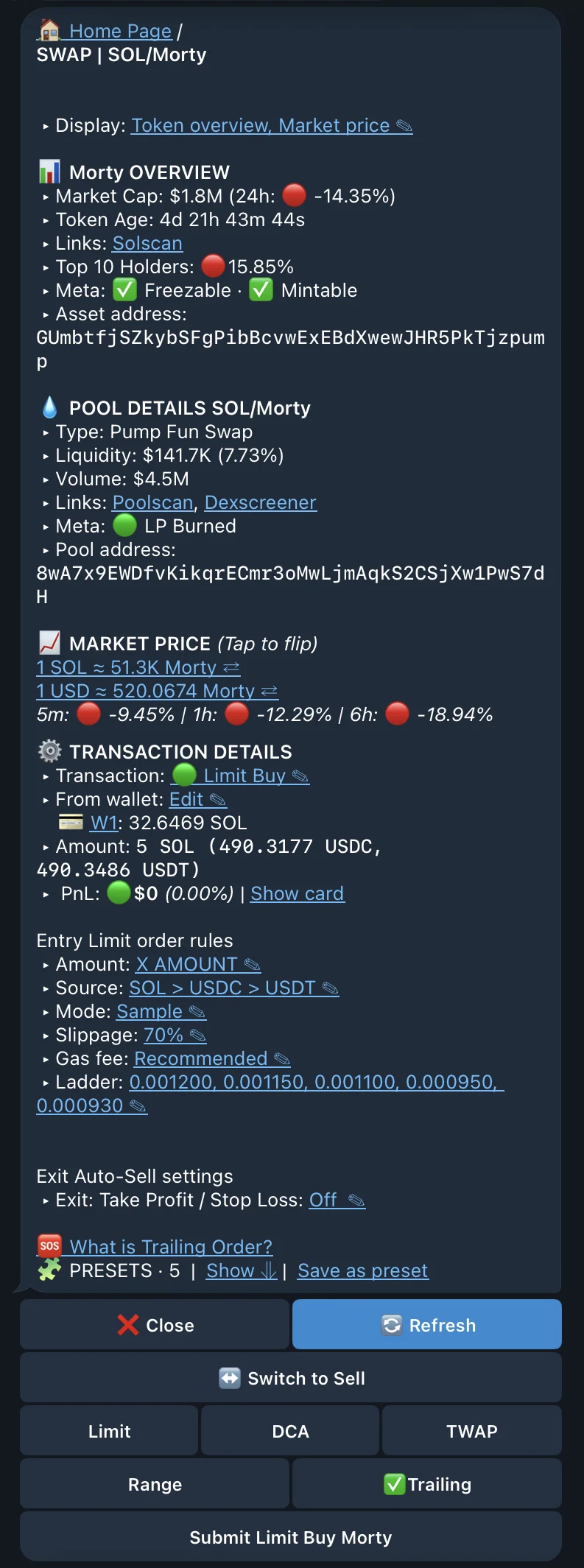
Choose Buy Trailing Stop or Sell Trailing Stop from a token or pool trade menu, then set:
The remaining amount, wallet, execution, and optional TP/SL controls follow the Classic order flow.
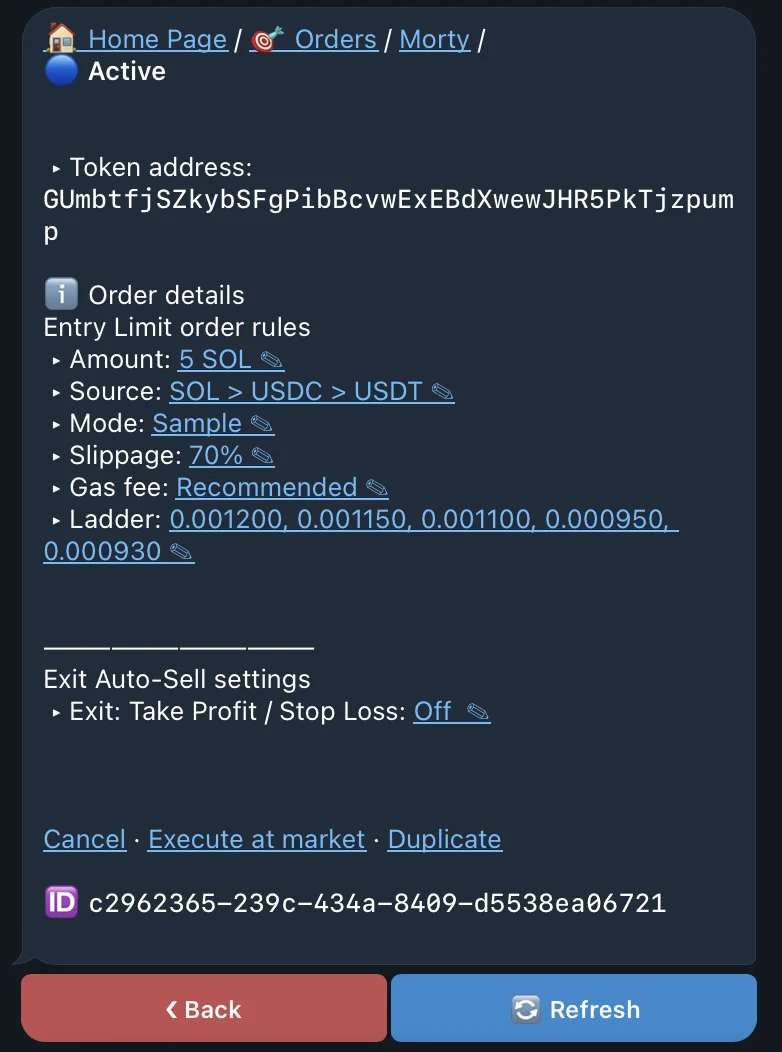
Before the first level, the order remains Pending. After a level is passed, Trailing identifies the active level and the levels still ahead. Tight spacing reacts sooner but catches more ordinary noise; wider spacing gives the move more room but can produce a later entry or exit.
When a reversal triggers submission, route availability, liquidity, balance, slippage, and fee priority still determine whether and where the trade fills.