
Search here or press/
Search
Open Settings → Interface to customize how QZAR displays times, emoji, and messages.
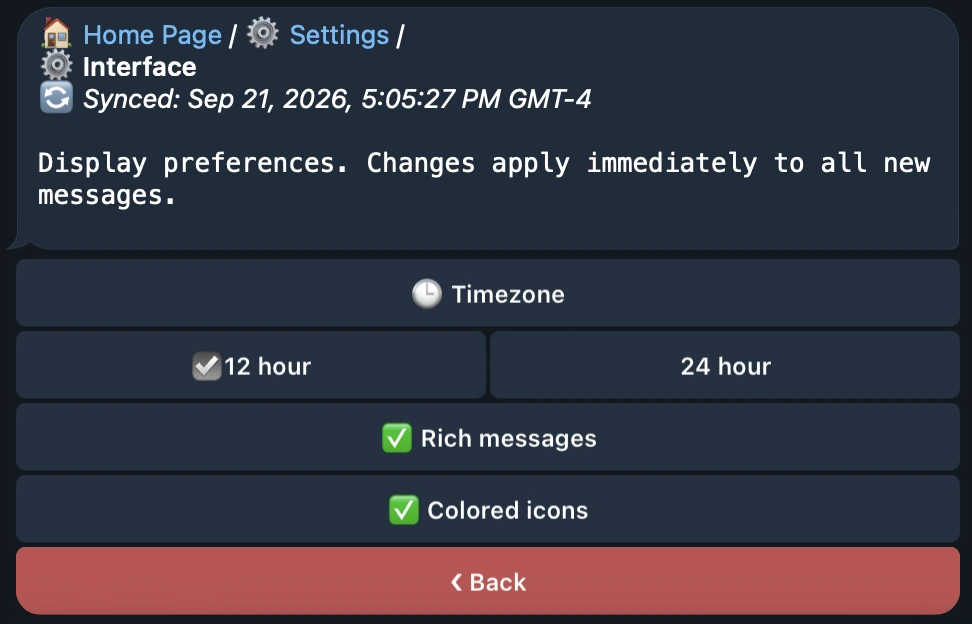
Choose the timezone used for dates and times in QZAR. You can select any timezone, including UTC or GMT, to match your preferred time reference.
For example, GMT-04:00 is four hours behind GMT.
Choose how times are displayed:
| Format | Example |
|---|---|
| 12-hour | 2:30 PM |
| 24-hour | 14:30 |
The time format works together with your selected timezone.
Choose the color used for QZAR's adaptive emoji in bot messages to suit your preferred Telegram appearance.
Enable Rich Messages to use Telegram's rich message formatting in QZAR. You can turn this option on or off in the Interface settings.