
Skip to content

Deposit assets

Each wallet uses one public address for assets (ex. SOL and SPL tokens). Fund your selected QZAR wallet for trade amounts, base network fees, priority fees, and tips.
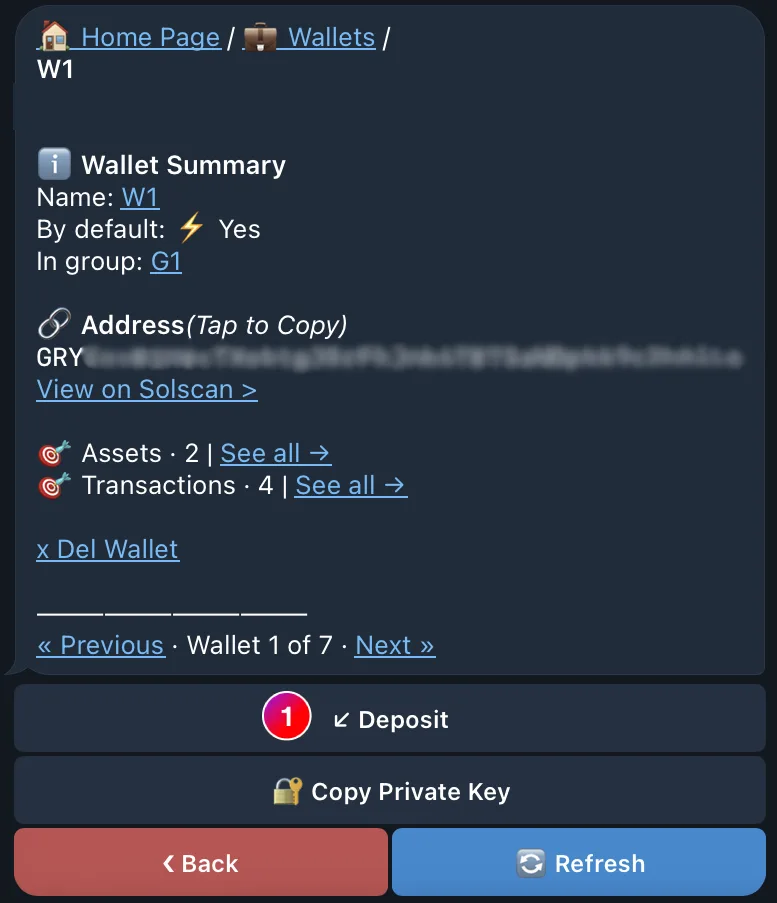
Deposit flow

  1. Open Wallets and select the destination wallet
  2. Choose Deposit and copy the public address
  3. In the sending wallet or exchange, select the network
  4. Compare the first and last characters of the address after pasting
  5. Refresh the QZAR wallet and confirm the balance before sending more
Wrong-network transfers may be unrecoverable
Send only Solana-network assets to this address. A transfer sent through another network may be unrecoverable. QZAR cannot reverse an on-chain transaction.
The QZAR Deposit view with the wallet's Solana public address to copy and a Solana-network-only warning

How much assets to keep available

There is no single correct buffer. Reserve enough for:

  • The amount you intend to buy with source tokens
  • Base fees for several attempts
  • Your selected priority fee or tip
  • Open or automated orders that may execute later

An order can reach its trigger and still fail if the remaining native token cannot cover execution costs.